With paper or a spreadsheet, it is hard to tell at any moment who is still inside the building.
02
The host finds out late
The visitor is at the gate and the host did not know they had to approve them.
03
Plates get copied wrong
Tractor and trailer, by hand and in a hurry. Later nobody can find the record.
04
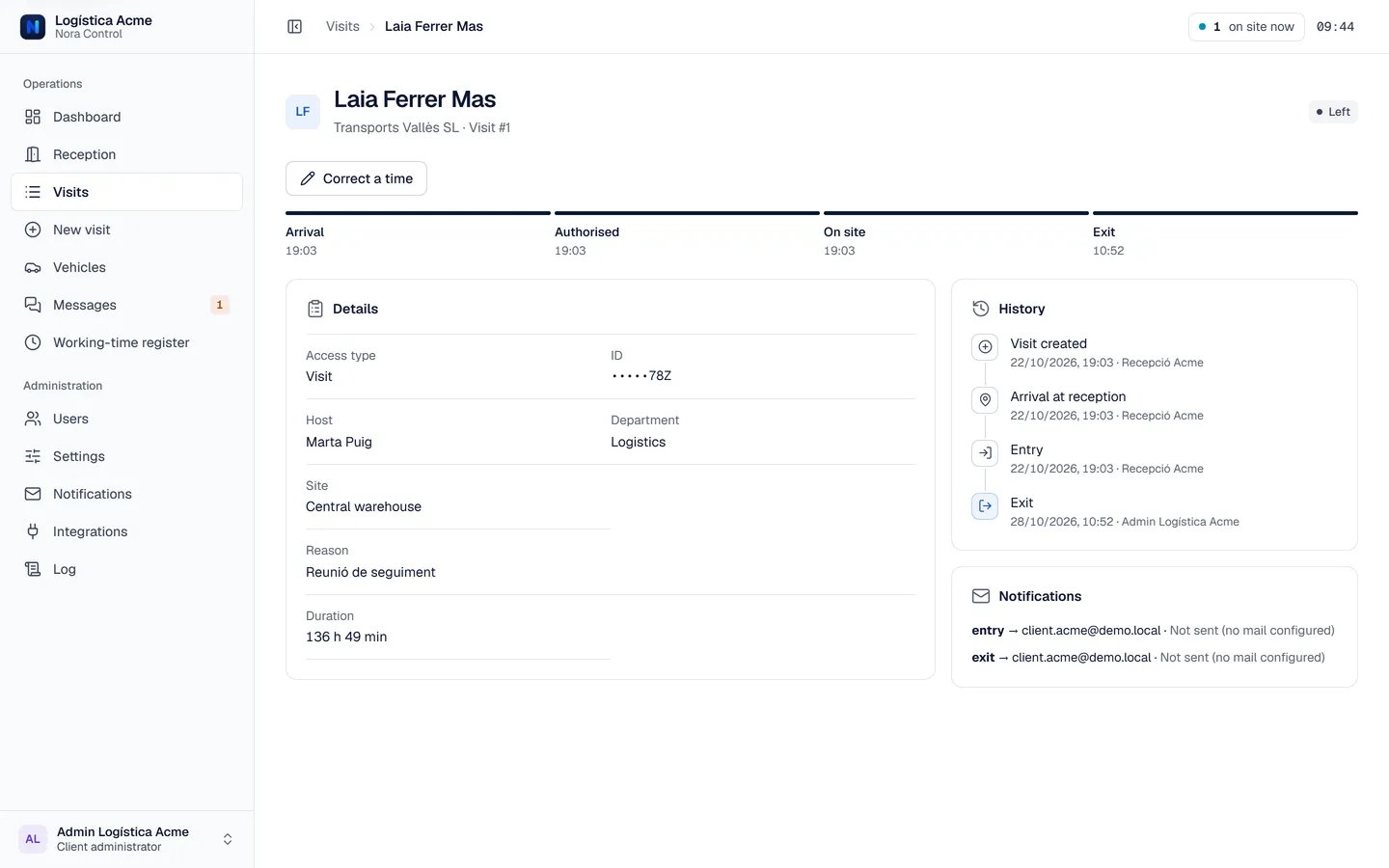
Entries with no exit go unnoticed
If nobody reviews them, the list of people on site stops being reliable.
How it works
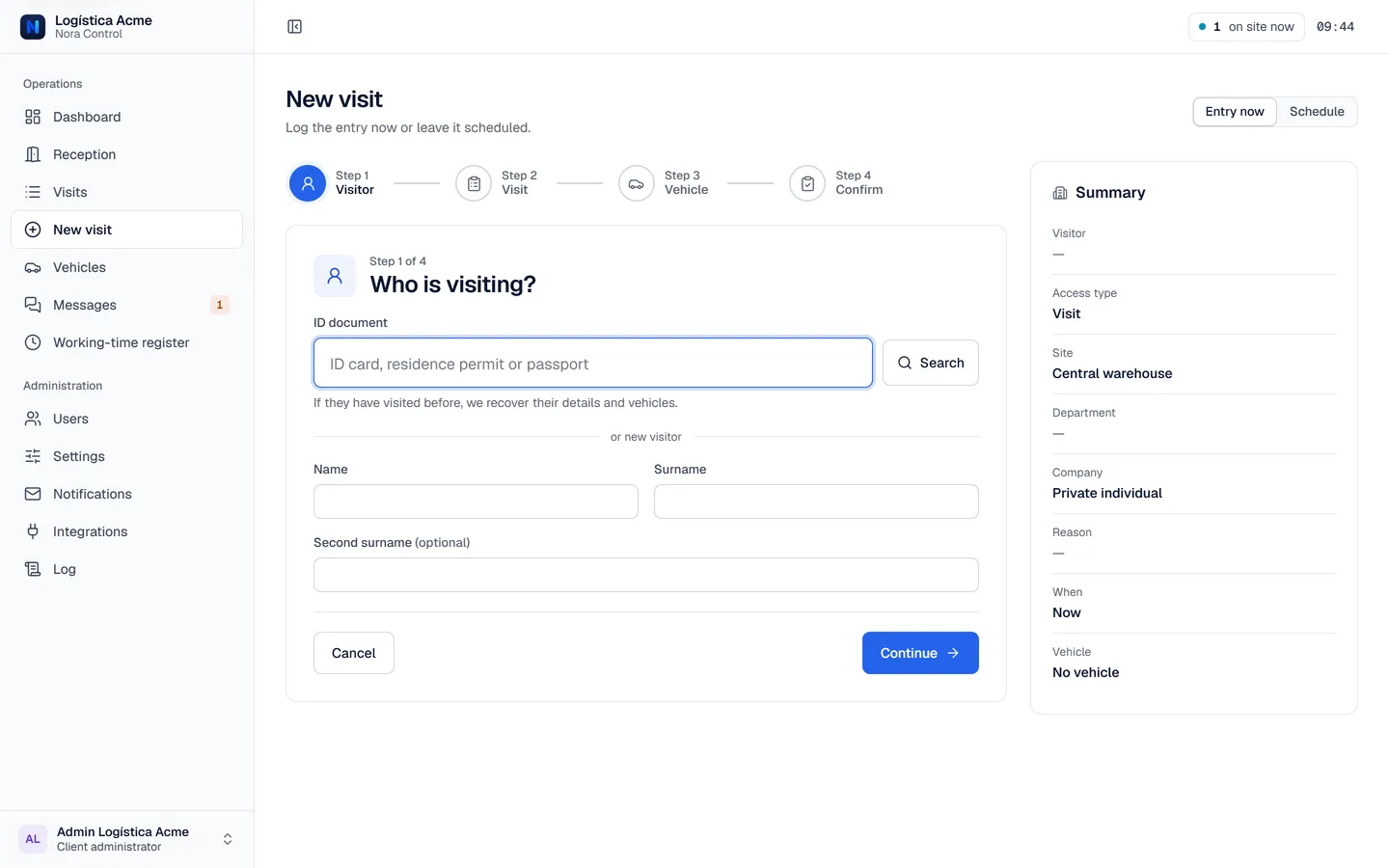
One visit, four steps
1
Visitor
Look them up by ID, or add them with first and last name.
2
Visit
Access type, host or department, company and reason.
3
Vehicle
If they arrive by vehicle, the plate; for a trailer, tractor and trailer.
4
Confirm
Review the summary and, if the access type requires it, signature and approval.
You can also schedule visits in advance: if the host schedules it, their approval is already included.
And also
What rounds out the day to day
Several companies, separate data
Each client has its own subdomain and its own data, people and vehicles.
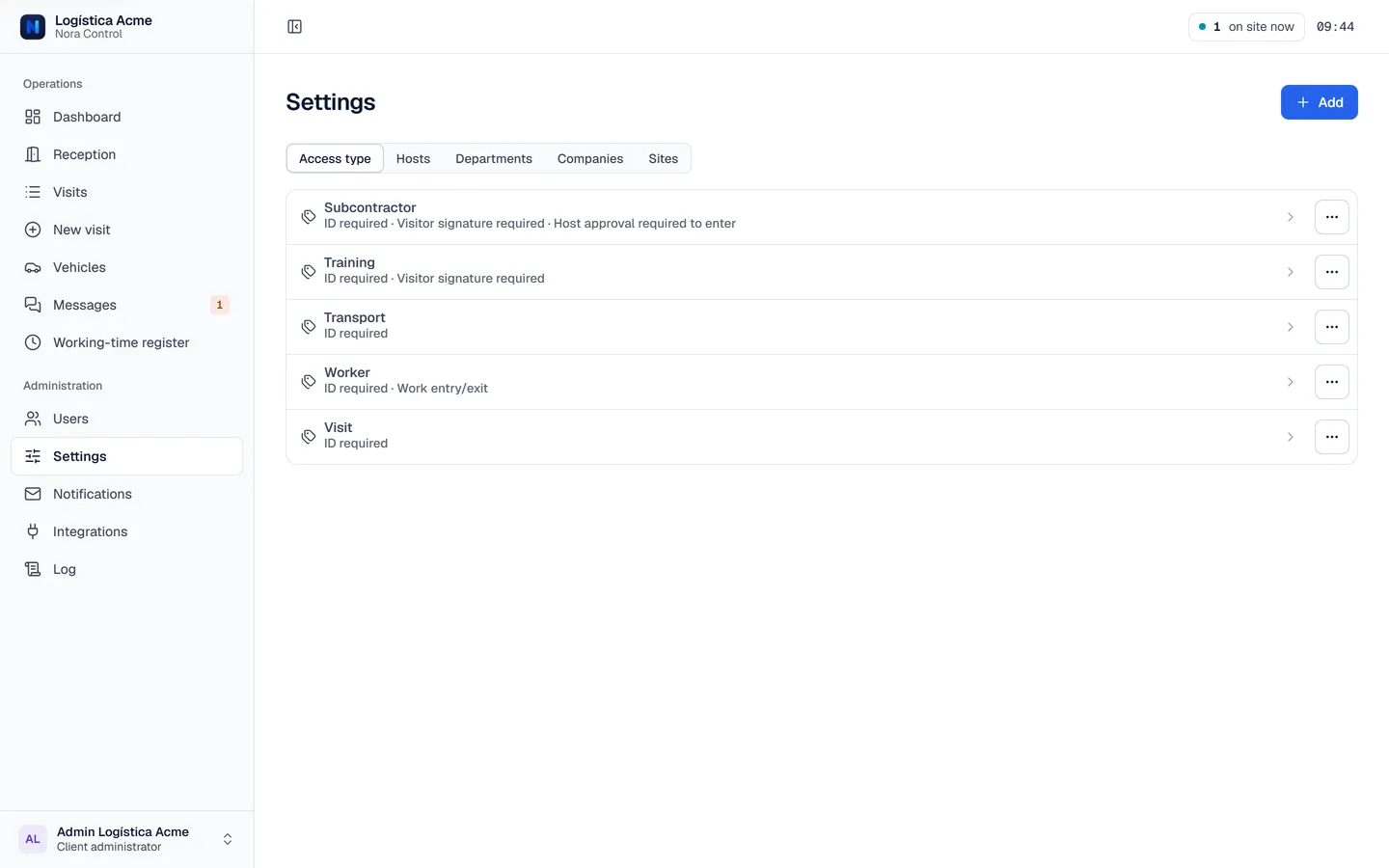
Configurable access types
You define what each one requires: ID, signature, approval on entry or exit.
Email notifications
Editable templates for each notice. They need the deployment’s mail server to be configured.
Chat and support
Conversations inside each client and tickets with the Nora Control team, with real-time alerts.
Working-time register (optional module)
Clock-in at sign-in and clock-out at sign-out, with a hash chain, corrections that leave a trace, and PDF, Excel and CSV export.
Light, dark and mobile
The app adapts to screen size and to the device’s appearance setting.
The solution
One place for the gate, the host and the office
Everyone sees their part: reception logs, the host approves and administration reviews.
01
Fast reception
Logging an arrival should not take longer than the conversation itself.
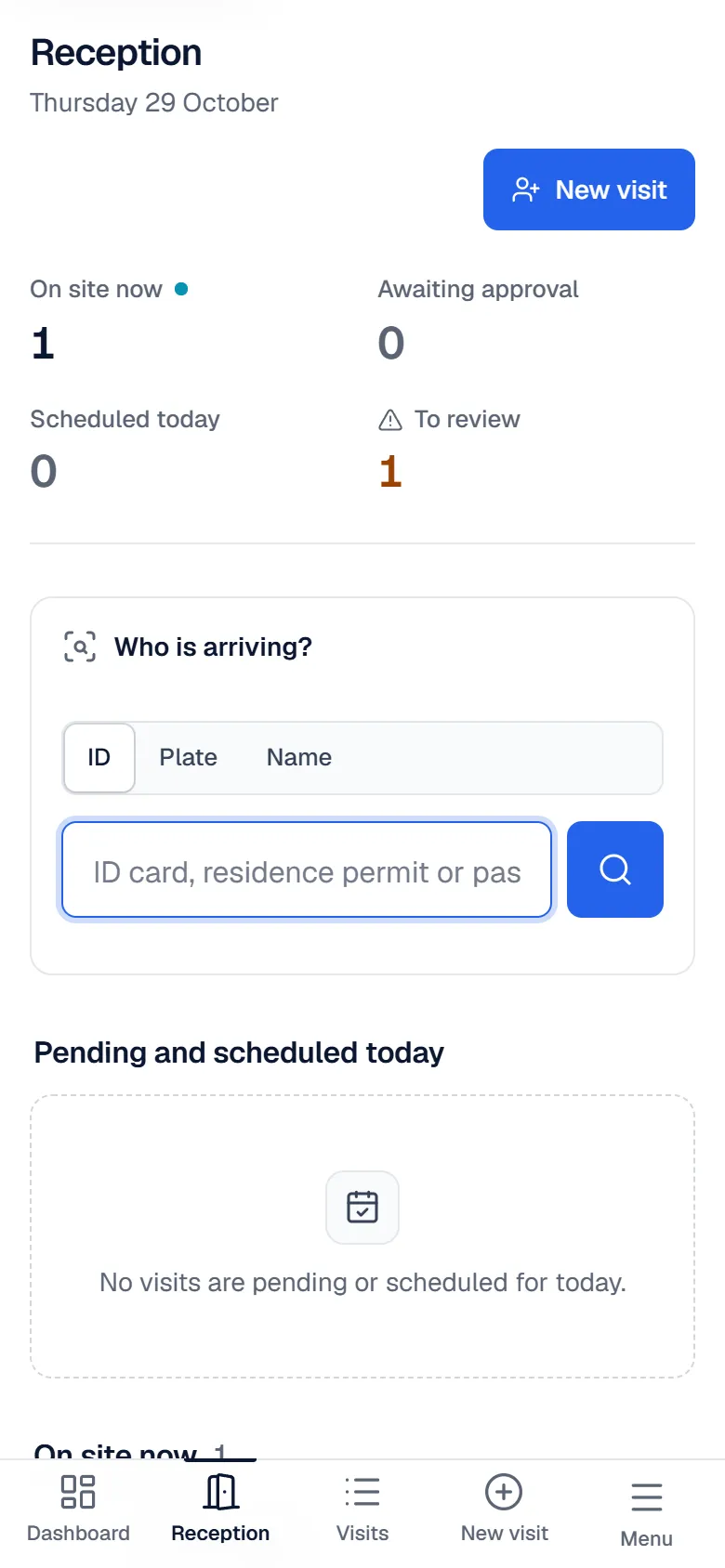
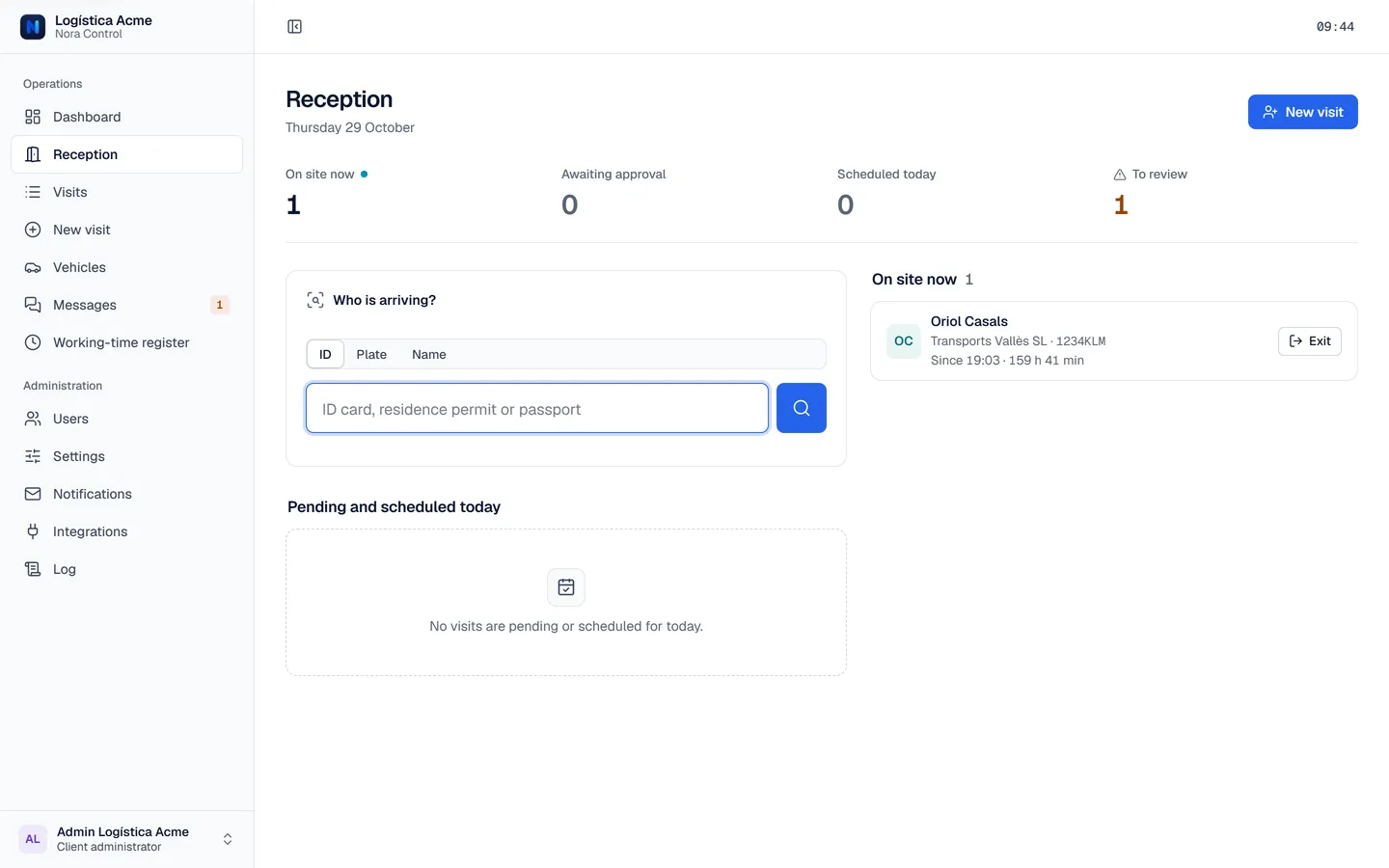
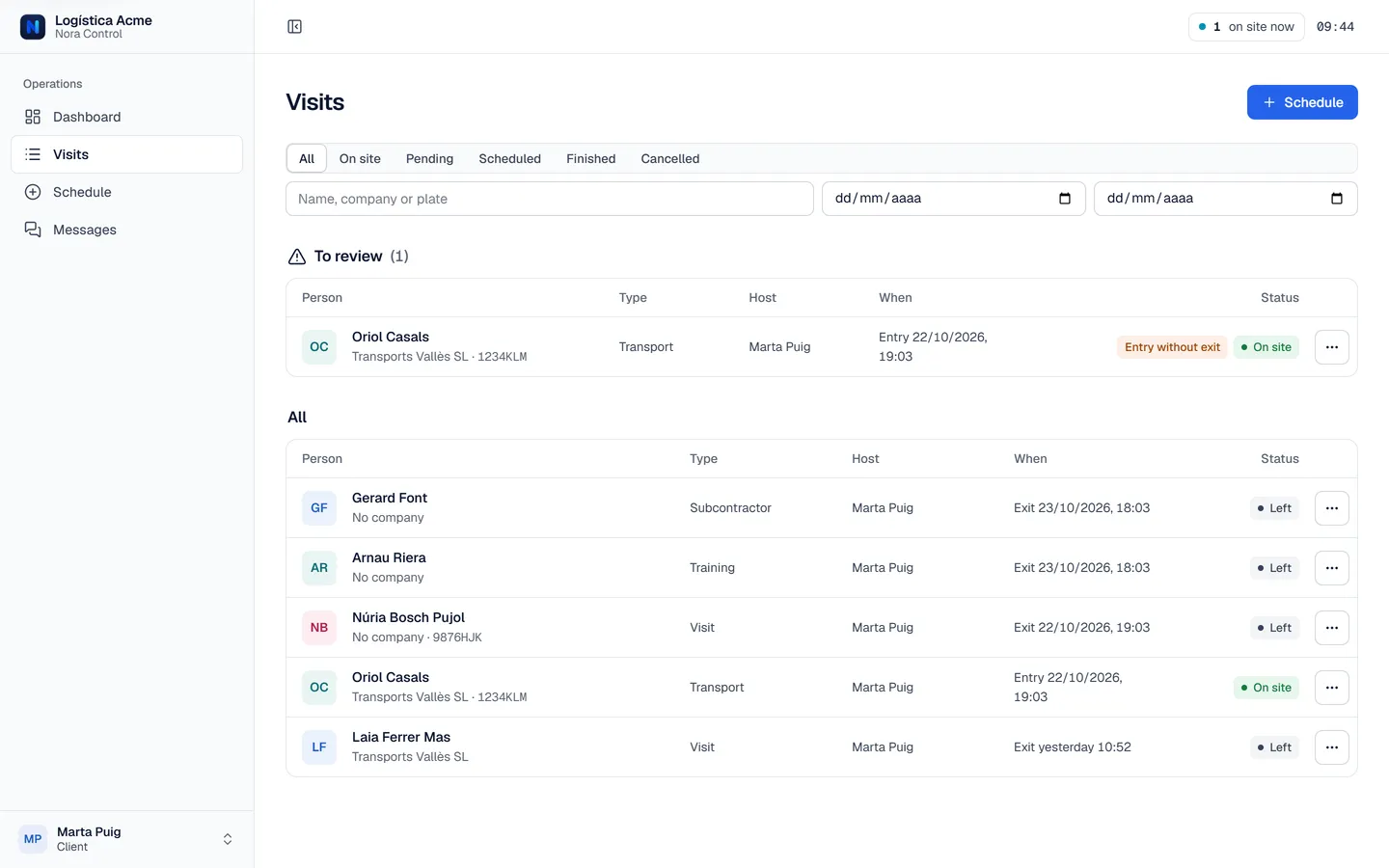
Look the person up by ID, plate or name. If they have been before, their details appear; if a visit is scheduled, one click on “Arrived” is enough. Departures are logged with a button.
The list of who is on site is always up to date.
02
Approval and audit trail
A visit nobody approved is a problem you find out about too late.
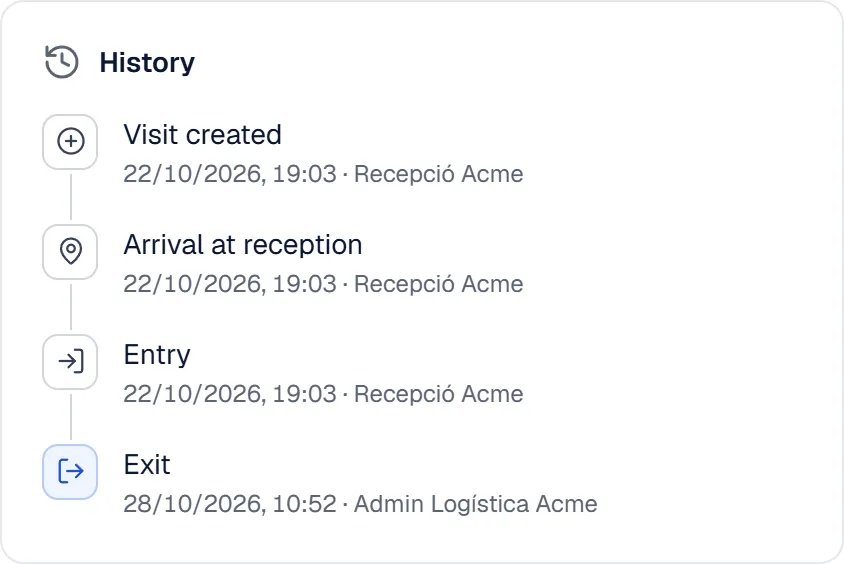
Depending on the access type, Nora Control asks for an on-screen signature and the host’s approval, sent as an email with a personal link. Each visit record keeps the times and a history of who did what and when.
You know who approved each entry without digging through emails or paper.
03
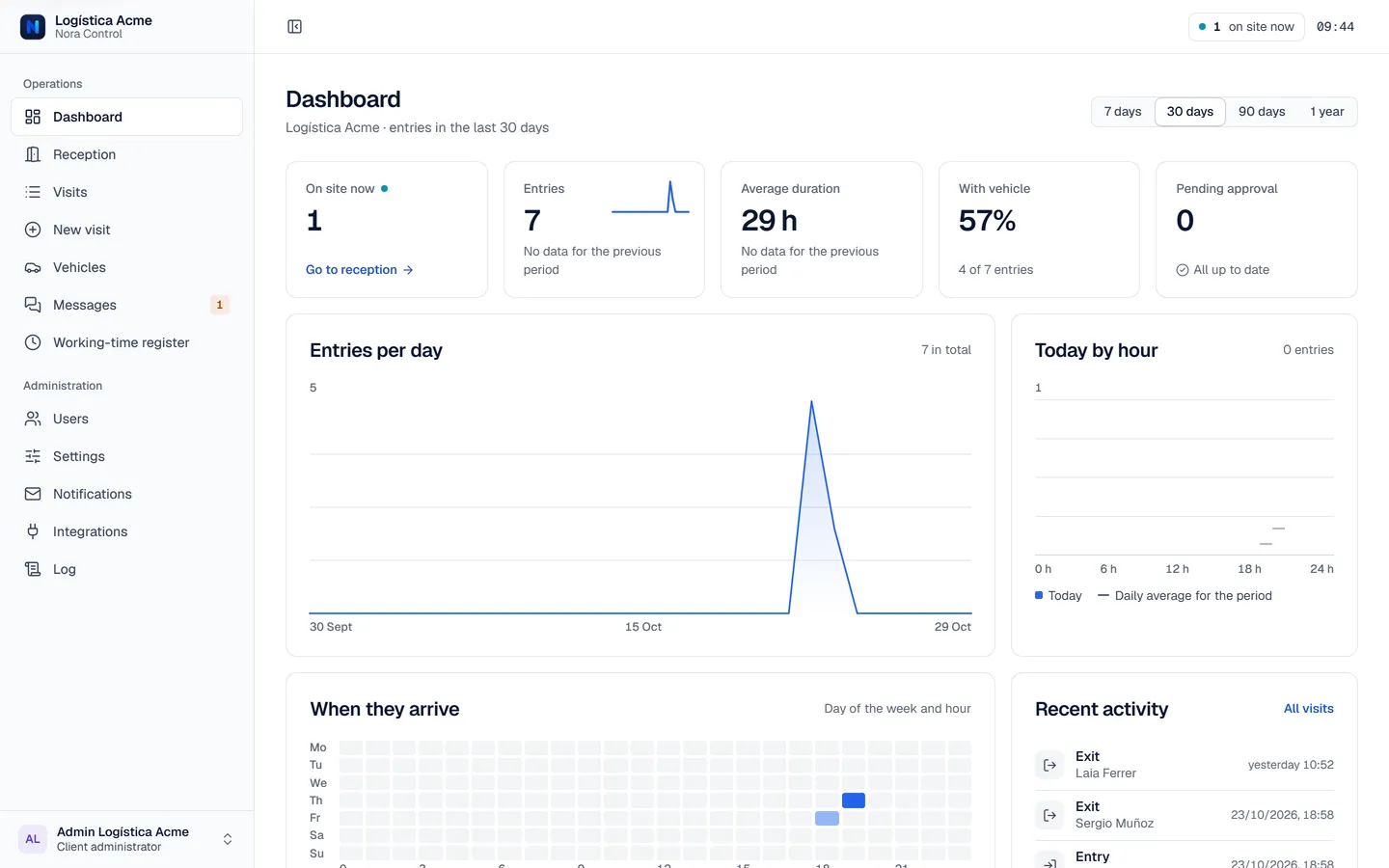
Dashboard and alerts
Without aggregated data, nobody knows when visitors arrive or what is still open.
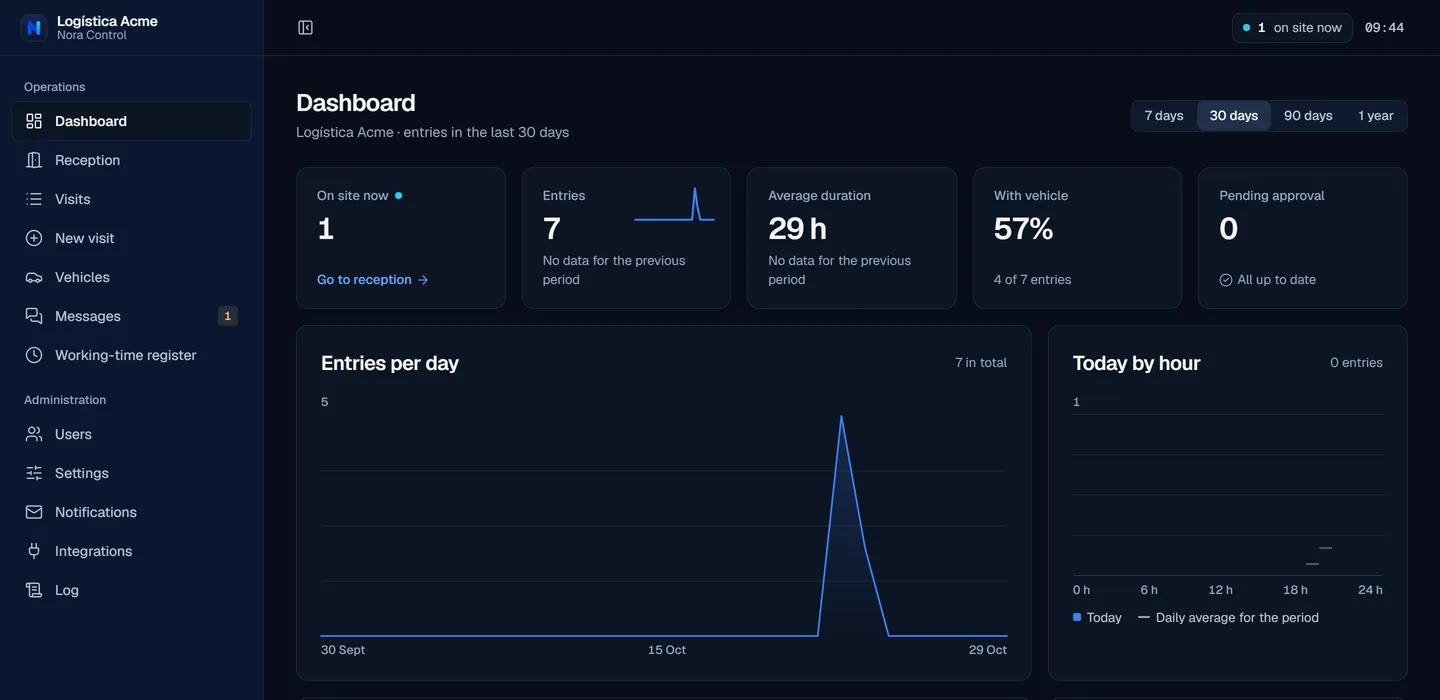
The dashboard shows entries per day, average duration, the share arriving by vehicle and a map of arrival times. Reception sees what needs review: entries with no exit, approvals that never came, or visits that did not show up.
You spot the unusual instead of finding it during an audit.
For every person
Everyone sees their part
Permissions are enforced on the server: nobody sees more than they should.
Log arrivals and departures with no guesswork
Search by ID, plate or name
Add a visitor and vehicle in four steps
See who is on site and log the exit with one button
Approve only what concerns them
See visits for their department or the ones they host
Approve or deny from the record or from the email
Schedule future visits with date and time
Configure and review
Access types, hosts, departments and companies
Users with roles and permissions; time corrections with a reason
Email notifications, activity log and CSV export
The difference
From the notebook to control
BeforeWith Nora Control
Before: Paper visitor book or a spreadsheet
With Nora Control: One record you search by ID, plate or name
Before: The host finds out when the visitor is already at the gate
With Nora Control: The host gets an email with a link to approve the visit
Before: Plates written by hand, sometimes only the tractor’s
With Nora Control: Vehicle and trailer plates on the record
Before: Nobody reviews entries with no exit
With Nora Control: Reception sees what needs review as soon as it appears
Security
Built for people’s data
These measures are implemented in the application. They do not replace each client’s legal assessment.
Mandatory two-step verification
Every user sets it up with an authenticator app.
Encrypted ID numbers
ID numbers are stored encrypted (AES-256-GCM) and only the last three characters show on screen.
Permissions by role and scope
Each role sees only what it should, enforced on the server.
Audit log
ID lookups, record views, exports and corrections are recorded.
Also in dark mode
Use cases
Sound familiar?
Warehouses and logistics hubs
Trucks with trailers, carriers and visitors coming and going all day.
Offices and headquarters
Meetings with visitors that the host has to approve.
Sites shared by several companies
One platform, with each company’s data kept separate.
Frequently asked questions
Before you ask for a demo
What is Nora Control?
A web application for access control: it logs entries and exits of people and vehicles, handles visitors, approvals and signatures, and provides a statistics dashboard.
Who is it for?
Companies and sites with a reception or gate: warehouses, offices, headquarters or spaces shared by several companies.
How do I get started?
Request a demo with the form. We reply to show you the application and talk about how it would fit your gate.
How much does it cost?
Every company is different, so there is no fixed rate: the price is tailored to each situation. It depends on things like the number of gates or sites, users and the support you need. Tell us about your case in the demo and we will prepare a tailored proposal, no strings attached.
What language is the application in?
Nora Control’s interface is available in Spanish, Catalan and English, and each user picks theirs from the account menu.
What do I need to use it?
A current browser. It works on desktop, tablet and phone. Each user needs an authenticator app for two-step verification.
Is it GDPR compliant?
The application includes technical measures (encrypted ID numbers, permissions, audit log, per-client separation), but each client must define the legal basis, retention periods and the information given to visitors. In the demo we explain what is still open.
Request a Nora Control demo
Tell us who you are and we will reply to show you the application.
What happens when you request the demo
1
We reply
We agree on a day for the walkthrough.
2
We show you Nora Control
With your case: your gate, your access types, your roles.